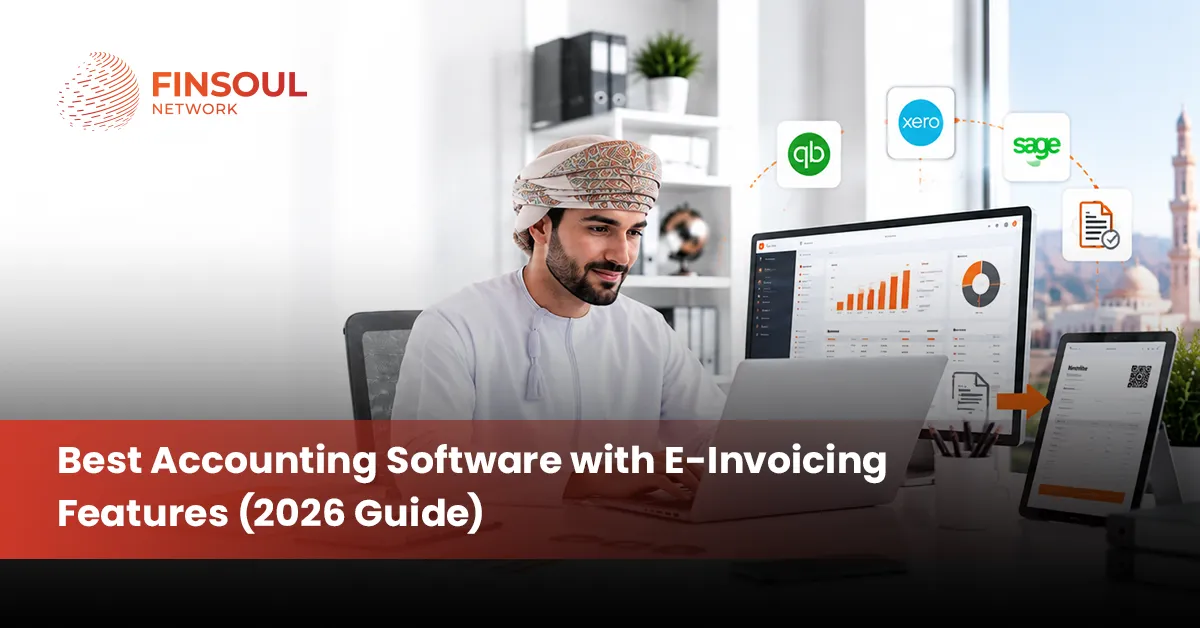
Best Accounting Software with E-Invoicing Features (2026 Guide)
Choosing accounting software used to mean comparing bookkeeping features and monthly price. In 2026, the real question is different: can your accounting system also issue compliant electronic invoices without extra manual work.
Finsoul Network Oman has watched businesses pick software on price alone and then struggle to meet FBR digital invoicing rules months later. This guide breaks down accounting and e-invoicing together, so you pick a system that supports both from day one.
What Is E-Invoicing and How It Works
E-invoicing is not just sending a bill online. It follows a defined process that connects your sale directly to the tax authority.
E-invoice vs PDF Invoice
A PDF invoice is a document you create and email or print. It has no direct link to any tax system and can be edited freely after it is sent. A true e-invoice is structured data that gets validated and confirmed by the tax authority in real time, which makes it far harder to alter after issue.
How an Electronic Invoice Reaches the Tax Authority
The flow starts with a sale, moves into an invoice, and gets checked against the required tax fields before it leaves your system. Once submitted, the invoice is confirmed and given a unique reference. Only after this confirmation is the invoice treated as officially issued.
What IRN and QR Codes Mean
An IRN is a unique number given to a validated invoice, confirming that the tax authority has accepted it. A QR code lets anyone scan the invoice and confirm its authenticity instantly. Together, these two elements protect both the buyer and the seller from disputes over fake or duplicate invoices.
What a Licensed Integrator Does
A licensed integrator sits between your accounting or POS system and the tax authority’s servers. FBR’s own guidance confirms that notified persons must connect their systems through a licensed integrator, and PRAL can also provide integration support. This step is what turns ordinary invoicing software into a compliant e-invoicing system.
What Should Accounting Software with E-Invoicing Include
A complete system does more than record numbers. It should combine bookkeeping, invoicing controls, tax compliance, and daily operations in one place.
- Core accounting: Look for double-entry accounting, a general ledger, and accounts payable and receivable. Accounting services in Oman can help businesses maintain accurate records, reconciliations, and financial reporting.
- Invoice and e-invoice controls: The software should auto-number invoices, calculate tax correctly, and submit them in real time. It also needs to handle IRN, QR codes, credit notes, and cancellations cleanly.
- Tax and compliance: Sales tax and withholding tax should be built into the reporting, not calculated separately in a spreadsheet. An audit trail and digital record keeping protect you during any review.
- Business operations: Inventory, POS, purchase orders, and expense tracking matter just as much as accounting. Multi-branch and multi-currency support become necessary once a business grows past a single location.
Best Accounting Software with E-Invoicing Features in 2026
No single product wins every category, so the right choice depends on what your business actually needs. Here is how the major names line up on accounting strength, e-invoicing support, and FBR fit.
- QuickBooks Online: Strong for small businesses and international clients, with solid accounting and easy reporting. E-invoicing for FBR usually needs a local integration layer added on top.
- Xero: Built for growing and international businesses that want clean books and simple workflows. Local FBR connection depends on integration rather than a native feature.
- Zoho Books: A good fit for startups and service businesses already using other Zoho tools. E-invoicing options vary by plan and region, so this needs direct confirmation before signup.
- Sage: Suited to established businesses with more complex accounting needs. E-invoicing support depends heavily on the specific product and region chosen.
- TallyPrime: Popular with traders and established businesses that want strong inventory and ledger control. E-invoicing usually runs through an add-on or partner connection.
- Odoo: A strong pick for businesses that want accounting bundled with a full ERP. E-invoicing can be customized, but the result depends on how the implementation is done.
- Local FBR-ready software: Built for Pakistani SMEs with local tax rules in mind from the start. These platforms often connect more directly with FBR, though features still vary between vendors.
Don’t assume every global product either fully supports or completely lacks FBR integration. The real difference is between native functionality, third-party connection, and local implementation work, and each option changes your total cost and setup time.
Which Accounting Software Is Best for Different Businesses
Business type changes what actually matters in a system. A freelancer and a manufacturer are not shopping for the same thing.
Best Software for Freelancers
Freelancers need simple invoicing, expense tracking, and quick bank reconciliation more than deep reporting. Low cost matters because margins are already thin. Client billing should be fast and require little setup.
Best Software for Service Businesses
Service businesses run on recurring invoices, project tracking, and time logging. Client management needs to connect directly to billing, so nothing is repeated by hand. Expense billing back to clients should be automatic, not a manual export.
Best Software for Retailers
Retailers depend on POS, inventory, and barcode support working together in real time. Sales tax has to calculate correctly at the point of sale, not after the fact. Support for multiple locations becomes important as soon as a second store opens.
Best Software for Wholesalers and Distributors
Wholesalers need strong inventory tracking alongside purchase orders and customer credit terms. Batch and stock tracking prevent costly errors in large orders. Receivables need close monitoring since payment terms are often longer here than in retail.
Best Software for Manufacturers
Manufacturers require inventory tracking that covers raw materials through finished goods. Production costing and purchase management need to connect directly to financial reporting. Without this link, true product cost becomes guesswork.
Best Software for Multi-Branch Businesses
Multi-branch businesses need centralized accounting with branch-level reporting available on demand. User permissions matter so each location only sees what it should. Inventory transfers between branches need to be tracked as part of the accounting, not handled separately.
Native E-Invoicing vs Third-Party Integration
The way e-invoicing connects to your accounting software changes daily workflow more than most buyers expect.
Native E-Invoicing
Native support means everything runs in one system, from sale to submission. This cuts manual work and reduces data entry errors significantly. Reconciliation becomes simpler because records live in a single, centralized place.
Third-Party Integration
Third-party integration makes sense when your current accounting software works well but lacks a compliance feature. It adds a connection layer rather than replacing the whole system. This route can be a practical middle step for businesses not ready for a full switch.
Manual E-Invoicing Through a Tax Portal
Manual submission through a portal can work for very low invoice volumes. Once transaction numbers grow, this becomes slow and prone to error. Finsoul Network Oman generally recommends this route only as a short-term step, not a long-term plan. FBR confirms that PRAL can provide integration support at no cost on request, and licensed integrators offer another formal path.
How to Choose the Right E-Invoicing Accounting Software
Choosing software works better as a structured process than a gut decision based on a demo call.
Check Your Tax Authority Requirements First
Confirm if your business falls under the current FBR electronic invoicing rules before shopping for software. This single step narrows your options significantly. Skipping it often leads to buying software that needs replacing within a year.
Check if Integration Is Native or Third-Party
Ask the vendor directly if the e-invoicing connection is built into the software or handled through another application. Finsoul Network Oman advises getting this answer in writing before signing any contract. The distinction affects both cost and long-term reliability.
Test Invoice Rejection and Correction Workflows
Ask how the system handles rejected invoices, cancellations, and credit notes before you commit. A demo that only shows a clean sale is not a full test. Duplicate invoices and incorrect tax rates happen in real business, so the fix process matters.
Check Accounting Automation
The ideal workflow records a sale once and lets it flow into invoicing and tax reporting automatically. Manual re-entry between systems is where most errors start. Ask to see this flow live, not described in a slide.
Check Reporting and Audit Trails
Invoice data should flow cleanly into receivables, the sales ledger, tax reports, and financial statements. Strong audit trails also make audit services in Oman more effective because supporting records are easier to review.
What to Check Before Switching Accounting Software
Switching systems carries real risk if it is not planned properly. A short checklist prevents most common problems.
- Export your existing data: Get a full export of your current accounting data before any migration starts. This protects you if something goes wrong mid-switch.
- Confirm historical invoice migration: Check that old invoices, including e-invoices, transfer correctly into the new system. Missing history creates gaps during tax reviews.
- Map your chart of accounts: Align your existing account structure with the new software’s setup before going live. This avoids messy reclassification later.
- Test tax configurations: Run sample transactions through the new tax settings before switching fully. Errors here are expensive to fix after the fact.
- Test the e-invoicing connection: Confirm the new system submits invoices correctly and receives valid confirmations. Do this well before any filing deadline.
- Train staff early: Get accounting and sales teams comfortable with the new workflow before go-live day. Confusion at launch usually comes from skipped training, not bad software.
- Run both systems briefly: Keep the old system active alongside the new one for a short overlap period. Avoid switching right before a major tax or reporting deadline.
Common E-Invoicing Mistakes Businesses Make
Most e-invoicing problems come from a small set of repeated mistakes, not unusual edge cases.
- Choosing software on accounting features alone: Compliance gets treated as an afterthought, then becomes an expensive fix later.
- Assuming PDF invoices count as e-invoices: These are legally and technically different documents.
- Ignoring local tax requirements: Generic global software does not automatically match Pakistan’s specific rules.
- Treating third-party integration as native: The two options behave very differently during daily use and error handling.
- Not checking rejection handling: Businesses discover this gap only after a real invoice fails.
- Ignoring credit note and cancellation workflows: These come up regularly in normal operations, not rarely.
- Failing to reconcile e-invoices with accounting records: This gap causes mismatched reports at month end.
- Ignoring future growth: Software that fits today may not scale with more branches or higher invoice volume.
Accounting Software vs Dedicated E-Invoicing Software
Dedicated e-invoicing tools focus narrowly on tax-authority submission, while full accounting software covers bookkeeping, reporting, and often inventory and payroll as well. A dedicated tool can work well if your existing accounting system is solid but simply lacks compliant invoicing. Full accounting software makes more sense for businesses that want one connected system rather than two separate tools to maintain and reconcile.
Best Accounting Software with E-Invoicing for 2026
Choose QuickBooks or Xero if international accounting and a familiar ecosystem matter most to your team. Choose Zoho Books if you already use other Zoho tools and want everything connected. Choose TallyPrime if you run established trading workflows built around strong ledger control. Choose Odoo if you need accounting bundled with wider ERP functionality. Choose a local FBR-ready platform if native Pakistani tax compliance is your main requirement.
The strongest system is not the one with the longest feature list. It is the one that connects accounting, invoicing, tax compliance, and daily operations without forcing your team to enter the same sale twice.
Conclusion
Picking accounting software in 2026 means looking past monthly pricing and basic bookkeeping features. The real test is if the system can manage your books and issue compliant electronic invoices without creating extra manual steps for your team. Finsoul Network Oman recommends starting with your compliance requirements first, then matching software features to your specific business type, rather than picking a popular name and hoping it fits later.
Get Help Choosing the Right System
Picking the wrong accounting and e-invoicing setup gets expensive to undo once your data and workflows are already built around it. Finsoul Network Oman works with businesses to map out compliance needs first, then match those needs to the right software and integration path.
Reach out at info@finsoulnetwork.com to walk through your specific requirements before you commit to any platform.
Frequently Asked Questions
What is the best accounting software with e-invoicing in 2026?
The answer depends on your business type and country. A freelancer in Pakistan needs something very different from a manufacturer running multiple branches, so match the software to your actual workflow first.
Does QuickBooks support e-invoicing?
QuickBooks offers strong general invoicing features, but country-specific electronic invoicing compliance is a separate matter. For FBR requirements, confirm the exact integration path directly with the vendor before assuming coverage.
Is e-invoicing the same as sending a PDF invoice?
No. A PDF is a static document with no direct link to the tax authority. A true e-invoice is validated and confirmed electronically, which gives it legal and audit standing a PDF does not have.
Does accounting software need FBR integration in Pakistan?
This depends on your business’s registration status and the specific rules that apply to it. Notified persons generally need to connect through a licensed integrator, so check current FBR guidance for your exact category.
Should I choose accounting software with native e-invoicing?
Native integration usually means fewer errors and simpler reconciliation over time. A third-party connection can still work well if your current accounting software already fits your business and only needs a compliance layer added on top.
Table of Contents
Book An Appointment
No Comments
Recent Blogs