
Best Small Business Accounting Software in Oman: VAT, Invoicing and Arabic Support
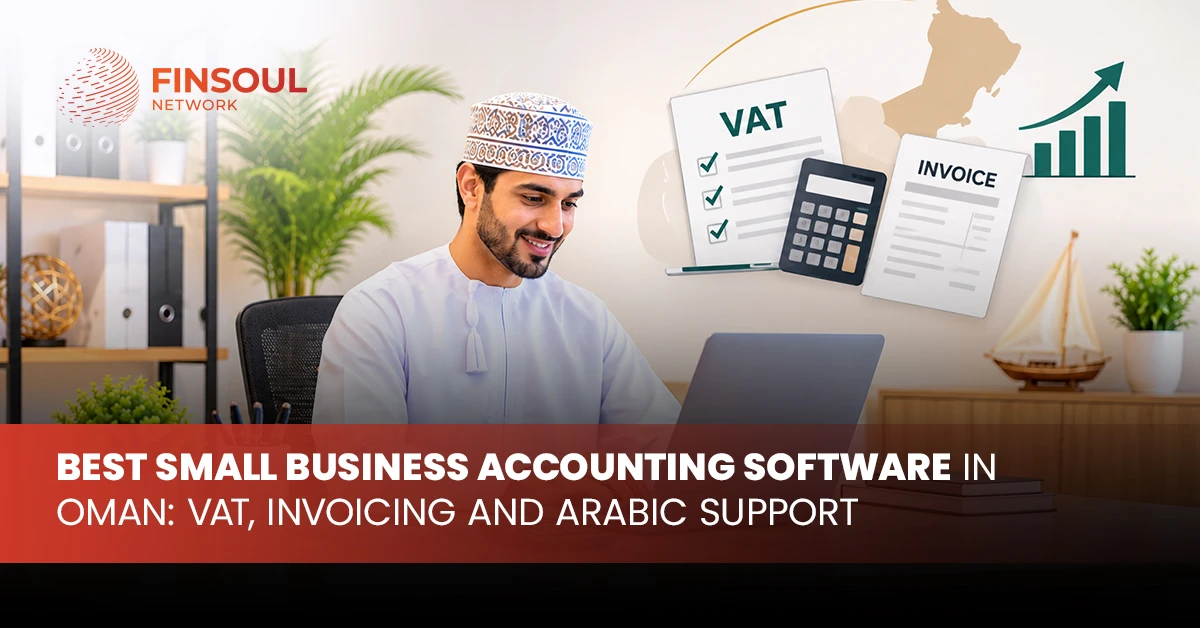
Small businesses in Oman need accurate financial records to manage daily transactions, control expenses and meet tax obligations. As sales increase and supplier relationships expand, spreadsheets and manual bookkeeping become difficult to manage. Accounting software brings invoices, expenses, payments, VAT records and financial reports into one system.
Choosing the right platform involves more than comparing subscription prices. Businesses need software that supports Oman’s VAT requirements, produces professional invoices, handles Arabic and English documents, and provides reliable financial reporting. The introduction of Fawtara, Oman’s electronic invoicing programme, adds another important consideration to software selection.
The best small business accounting software depends on the company’s activities, transaction volume and reporting requirements. Zoho Books, TallyPrime, Odoo and Wafeq offer different capabilities for startups, retailers, service providers and growing SMEs.
Why Small Businesses in Oman Need Accounting Software
Accounting involves recording every financial activity, from customer payments and supplier purchases to salaries, operating expenses and tax transactions. When these records remain scattered across spreadsheets and separate applications, business owners spend more time checking figures and correcting entries.
Accounting software creates a central record of financial activity. It connects invoices, payments, expenses and reports, giving management access to consistent financial information.
For small businesses in Oman, a suitable accounting system supports:
- Bookkeeping: Recording daily sales, purchases, receipts and payments.
- VAT management: Applying relevant tax rates and maintaining VAT transaction records.
- Invoicing: Preparing sales invoices, quotations, credit notes and customer statements.
- Expense tracking: Recording operating expenses and supplier bills.
- Bank reconciliation: Matching bank transactions with accounting entries.
- Financial reporting: Preparing profit and loss statements, balance sheets and cash flow reports.
- Receivables management: Monitoring unpaid invoices and customer balances.
- Inventory accounting: Tracking stock purchases, sales and inventory values.
Best Small Business Accounting Software Options in Oman
The accounting software market offers platforms for different business requirements. Some focus on cloud bookkeeping and invoicing, while others connect accounting with inventory, sales and wider operational activities.
The following options are worth evaluating when selecting accounting software in Oman.
1. Zoho Books
Best for: Startups, consultants and service-based businesses
Zoho Books is a cloud-based accounting platform that manages invoicing, expenses, customer accounts, supplier bills and financial reporting. Its Oman edition includes VAT settings for businesses operating under the country’s tax framework.
The platform allows businesses to configure VAT registration details and apply standard and zero-rated tax rates to transactions. Its Oman-specific documentation also covers Arabic and English interface options, right-to-left presentation and Arabic transaction documents.
Key features include:
- Customer invoices and quotations.
- Supplier bills and expense tracking.
- Oman VAT settings and tax reports.
- Bank reconciliation.
- Recurring invoices and payment records.
- Customer and supplier management.
- Financial statements and sales reports.
- Arabic and English document support.
Zoho Books is a practical option for consultants, agencies, professional service providers and small trading companies. Its cloud-based structure gives business owners and accountants access to financial information without maintaining a local accounting database.
Before choosing it for Fawtara, businesses need to confirm the available integration route and the role of an e-invoicing service provider. Oman VAT functionality does not automatically mean direct Fawtara connectivity.
2. TallyPrime
Best for: Retailers, wholesalers and inventory-based businesses
TallyPrime provides accounting, inventory management, invoicing and financial reporting. Its functions support companies handling regular sales, purchases, stock movements and supplier transactions.
Tally’s official documentation includes Oman VAT configuration, VAT reporting and local-language invoice details. Businesses can record their VAT identification number, configure tax details and generate relevant VAT reports.
Key features include:
- Sales and purchase accounting.
- Inventory and stock management.
- Customer and supplier ledgers.
- Cash and bank management.
- VAT configuration and reporting.
- Financial statements.
- Arabic company details on invoices and reports.
- Transaction and voucher management.
TallyPrime suits retailers, distributors and wholesalers that need detailed stock control alongside accounting. A business managing multiple product categories can maintain inventory records and connect stock movements with its financial transactions.
Implementation needs proper VAT configuration, invoice testing and reporting checks. Businesses also need to confirm the provider’s Fawtara integration arrangements rather than treating standard VAT invoice generation as electronic invoicing compliance.
3. Odoo Accounting
Best for: Growing SMEs with connected operational requirements
Odoo combines accounting with applications for sales, purchasing, inventory, CRM, point of sale and other business functions. Companies can start with accounting and add operational modules as their requirements expand.
Odoo’s official Oman fiscal localisation includes a local chart of accounts, tax configuration, fiscal positions and a standard VAT report. Its documentation also covers Arabic translations for invoices, credit notes, supplier bills and receipts.
Key features include:
- Oman accounting localisation.
- VAT configuration and tax reporting.
- Sales and purchase management.
- Inventory and warehouse operations.
- Customer invoicing and supplier bills.
- Bank reconciliation.
- Business management applications.
- Arabic invoice and receipt support.
Odoo suits businesses that want financial records connected to daily operations. A trading company, for example, can link purchase orders, stock movements, customer sales and accounting entries rather than maintaining separate systems.
Implementation needs proper planning because the platform includes extensive configuration options. Businesses need to define their required modules, user access, hosting arrangements, customisation and technical support before deployment.
Fawtara connectivity requires a separate technical assessment. The presence of Oman accounting localisation does not automatically establish electronic invoicing integration.
4. Wafeq
Best for: SMEs evaluating regional cloud accounting platforms
Wafeq is a cloud accounting platform serving businesses in the Gulf region. Its services cover invoicing, expense management, tax reporting and financial records.
Its Oman pricing plans include options for businesses looking for invoicing as well as more extensive accounting functions. Available features vary by subscription level, so companies need to compare the included tools before selecting a plan.
Key features include:
- Sales invoices and credit notes.
- Quotations and customer records.
- Expense tracking.
- Tax rates and VAT reporting.
- Bank reconciliation.
- Multi-currency support.
- Financial reports.
- User roles and permissions.
Wafeq is worth evaluating for small and medium-sized businesses that prefer a regional cloud accounting platform. Before implementation, request confirmation of its Oman VAT configuration, Arabic document output and available integrations.
Businesses preparing for Fawtara also need written confirmation of the platform’s electronic invoicing arrangements, including service-provider connectivity and any additional charges.
Accounting Software Comparison for Businesses in Oman
Each platform serves a different business requirement. Comparing their main capabilities makes it easier to shortlist suitable options.
Software | Main strength | Key consideration | Suitable business |
Zoho Books | Cloud bookkeeping and invoicing | Oman VAT settings and Arabic documents | Startups and service SMEs |
TallyPrime | Accounting and inventory control | Local VAT and invoice configuration | Retailers and trading companies |
Odoo | Accounting with ERP applications | Module selection and implementation | Growing SMEs |
Wafeq | Regional cloud accounting | Plan features and local integration | Small and medium businesses |
Zoho Books is suitable for straightforward cloud accounting, while TallyPrime supports businesses with regular inventory transactions. Odoo connects accounting with wider business processes, and Wafeq offers a regional alternative for companies comparing online accounting platforms.
Essential Features of Accounting Software Oman Businesses Need
Software selection needs to account for local tax rules, invoice requirements and the company’s daily financial activities. These features form the foundation of a reliable accounting system.
1. Oman VAT Configuration
VAT functionality is essential for businesses registered under Oman’s Value Added Tax framework. The standard VAT rate is 5%, while certain supplies qualify for zero-rated or exempt treatment.
Accounting software needs to apply the correct tax treatment to each transaction and maintain records that support VAT reporting.
Look for functionality covering:
- VAT registration details and tax identification numbers.
- Standard-rated transactions at 5%.
- Zero-rated and exempt supplies.
- Input VAT and output VAT calculations.
- Credit notes and tax adjustments.
- VAT reports for the relevant tax period.
- Supporting invoices and transaction records.
A business selling standard-rated products and making zero-rated exports, for example, needs separate tax treatment for each category. Incorrect configuration affects VAT calculations and the figures included in tax returns.
2. VAT Accounting Software Oman: Reporting and Record Management
VAT accounting software Oman businesses select needs to maintain accurate records from the original transaction to the final tax report. Calculating VAT on an invoice is only one part of the process.
Consider a business issuing a standard-rated invoice for OMR 1,000. The accounting system records OMR 50 as output VAT. When the customer pays, the payment is matched with the original invoice. Eligible purchases and their input VAT are recorded separately.
At the end of the tax period, the system brings these transactions into the VAT report. The reported figures need to reconcile with the sales ledger, purchase ledger and supporting documents.
A practical software demonstration needs to cover sales, purchases, credit notes, input tax adjustments and VAT reporting. This reveals how the platform handles actual business transactions rather than relying on a general feature description.
3. Arabic and English Invoicing
Arabic document support is important for businesses dealing with Arabic-speaking customers, suppliers and other stakeholders. Accounting software needs to produce readable documents in both languages without affecting invoice calculations or formatting.
Check for:
- Arabic customer and supplier details.
- Right-to-left text formatting.
- Arabic and English invoice templates.
- Bilingual product and service descriptions.
- Arabic customer statements.
- Correct display of currency figures and tax amounts.
- Consistent PDF output and document printing.
Do not rely on a dashboard demonstration alone. Generate a complete invoice in Arabic and English, then review its layout, descriptions, totals, VAT details and printed version.
4. E-Invoicing Software Oman: Fawtara Compatibility
Oman’s Fawtara programme introduces standardised electronic invoice exchange between suppliers, buyers, service providers and the Oman Tax Authority.
An electronic invoice under this framework is not just a PDF sent by email. It contains structured digital information that follows the prescribed exchange and reporting process.
The Fawtara model connects five participants:
- The supplier.
- The supplier’s e-invoicing service provider.
- The buyer’s e-invoicing service provider.
- The buyer.
- The Oman Tax Authority.
Businesses need to understand the difference between accounting software and an e-invoicing service provider.
Accounting software manages invoices, bookkeeping, VAT calculations, customer accounts and financial reports.
An e-invoicing service provider connects the business to the electronic invoicing network and manages the required invoice exchange.
A platform can support Oman VAT and produce Arabic invoices without offering a direct Fawtara connection. Businesses need to establish the actual integration arrangement before selecting software for long-term use.
Fawtara Implementation Dates for Businesses in Oman
Fawtara implementation follows a phased schedule under the Oman Tax Authority’s published requirements and Ministerial Decision No. 189/2026.
The published implementation dates are:
Business category | Mandatory implementation date |
Taxpayers whose annual supplies exceed OMR 5 million and meet the published criteria | 1 April 2027 |
Other taxpayers with annual supplies of OMR 5 million or less | 1 October 2027 |
The first date applies when either of the following conditions is met:
- Total supplies from 1 April 2026 to 31 March 2027 exceed OMR 5 million.
- Expected total supplies from 1 April 2027 to 31 March 2028 exceed OMR 5 million.
The calculation includes taxable supplies, relevant reverse-charge supplies and intra-GCC supplies, subject to the Tax Authority’s published criteria. Capital asset supplies are excluded from the specified calculation.
The Oman Tax Authority confirms that SMEs are included in the programme. Businesses outside the first implementation group also have the option of adopting the system earlier.
How to Choose the Right Accounting Software for Your Business
The right platform depends on how the company operates. A service provider with recurring invoices needs a different accounting setup from a retailer managing stock, purchase orders and daily sales.
1. Match the Software to Your Business Activities
Start by identifying the accounting tasks the system needs to handle.
- Consultants and freelancers: Prioritise invoicing, expense tracking, customer records and straightforward financial reports.
- Retail businesses: Look for inventory management, point-of-sale support, purchase records and VAT reporting.
- Trading companies: Focus on supplier management, stock control, multi-currency transactions and customer credit.
- Service companies: Prioritise quotations, project billing, recurring invoices and expense allocation.
- Growing SMEs: Consider platforms that connect accounting with sales, inventory, purchasing and other operational functions.
2. Calculate the Full Cost of Ownership
The subscription fee is only one part of accounting software expenditure. Businesses also need to consider:
- Initial setup and configuration.
- Number of user licences.
- Data migration from existing records.
- Arabic invoice template configuration.
- VAT setup and testing.
- Third-party integrations.
- Fawtara service-provider charges.
- Staff training and technical support.
Request a complete quotation covering implementation and recurring costs. A low monthly subscription does not represent good value if essential functions require expensive add-ons.
3. Review Security and User Permissions
Accounting systems store sensitive business information, including customer details, supplier records, bank transactions, payroll data and financial statements.
Review the platform’s user permissions, access controls, backup arrangements and data export options. Define which employees can create invoices, approve expenses, edit transactions and access financial reports.
4. Test the Software With Actual Transactions
A live demonstration provides a more useful assessment than a feature list. Ask the provider to demonstrate the transactions the company handles every month.
The test needs to include:
- Creating customer and supplier records.
- Issuing an Arabic and English invoice.
- Recording a purchase with VAT.
- Creating a credit note.
- Reconciling a bank transaction.
- Generating a VAT report.
- Producing a profit and loss statement.
- Exporting financial records.
For Fawtara preparation, request a separate demonstration of the electronic invoice workflow, including service-provider connectivity, transmission and the handling of rejected or corrected invoices.
Common Mistakes When Selecting Accounting Software
A platform can have an impressive feature list and still fail to meet a company’s daily accounting requirements. The following mistakes create avoidable implementation and compliance problems.
Choosing based on price alone: A low-cost package that lacks VAT reports, Arabic invoices or required integrations creates additional expenses through manual work and external services.
Ignoring Arabic document formatting: An Arabic language option does not guarantee properly formatted invoices. Review the final PDF, text direction, product descriptions and tax figures.
Confusing VAT support with Fawtara readiness: VAT calculation and electronic invoice exchange are separate functions. Businesses need to verify the platform’s actual integration route.
Selecting an unnecessarily complex system: A small consultancy does not need a full ERP implementation if invoicing, bookkeeping and expense tracking cover its requirements.
Overlooking data migration: Opening balances, customer records, supplier information and historical transactions need accurate transfer from the previous system.
Skipping staff training: Inconsistent transaction entry, incorrect account categories and missing supporting documents undermine the quality of accounting records.
How Finsoul Network Oman Supports Accounting and E-Invoicing Requirements
Selecting accounting software is one part of building a reliable financial management process. Businesses also need appropriate accounting procedures, accurate VAT records, suitable invoice formats and a workable route to Fawtara.
Finsoul Network Oman provides accounting and financial management support for businesses operating in the Sultanate. Its accounting services cover bookkeeping, financial statement preparation, VAT compliance, payroll and management accounting.
Businesses can also obtain support with reviewing existing accounting procedures, assessing software requirements and organising financial records for reporting.
For companies preparing for electronic invoicing, Finsoul Network Oman also provides e-invoicing advisory and implementation-related services. This includes reviewing system requirements, invoice workflows and integration needs.
Frequently Asked Questions
1. What is the best small business accounting software in Oman?
Zoho Books, TallyPrime, Odoo and Wafeq are leading options for businesses to evaluate. Zoho Books suits cloud accounting and invoicing, TallyPrime supports inventory-based operations, Odoo connects accounting with wider business functions, and Wafeq offers a regional accounting platform.
2. Which accounting software supports VAT in Oman?
Zoho Books provides Oman-specific VAT settings and tax reports. Odoo includes an official Oman fiscal localisation, while TallyPrime provides Oman VAT configuration and reporting. Businesses also need to review the exact tax functionality included in their selected Wafeq plan.
3. Does accounting software in Oman need Arabic support?
Arabic support is important for companies issuing invoices and financial documents to Arabic-speaking customers and suppliers. Review the platform’s Arabic interface, right-to-left formatting, invoice templates and PDF output.
4. What is Fawtara in Oman?
Fawtara is the Oman Tax Authority’s electronic invoicing programme. It introduces standardised digital invoice exchange between suppliers, buyers, e-invoicing service providers and the Tax Authority.
5. Is VAT accounting software the same as e-invoicing software?
No. VAT accounting software records transactions, calculates tax and prepares VAT reports. E-invoicing software or an accredited service-provider connection manages structured electronic invoice exchange under the Fawtara framework.
6. When does e-invoicing become mandatory for small businesses in Oman?
Under the published Fawtara timetable, the first mandatory date is 1 April 2027 for taxpayers meeting the specified OMR 5 million annual-supplies criteria. Other taxpayers are assigned 1 October 2027. SMEs are included in the programme.
7. Can small businesses use cloud accounting software in Oman?
Yes. Cloud accounting platforms give authorised users access to financial records from different locations. Businesses need to review security, user permissions, backup arrangements, data export options and Oman-specific accounting features before implementation.
8. How much does small business accounting software cost in Oman?
Pricing depends on the platform, subscription plan, number of users and selected modules. Setup, data migration, training, integrations and e-invoicing connections also affect the total cost. Request a complete quotation before choosing a system.
9. Can accounting software generate VAT reports for Oman?
Yes. Platforms with Oman VAT configuration record taxable transactions and generate VAT reports. Businesses need to verify tax categories, transaction mapping and report accuracy against their accounting records and Oman Tax Authority requirements.
10. How can Finsoul Network Oman help with accounting software selection?
Finsoul Network Oman provides accounting services and e-invoicing support, including software assessment, accounting setup and Fawtara-related advisory. Its services help businesses organise financial records and prepare their accounting processes for electronic invoicing.
Table of Contents
Book An Appointment
No Comments