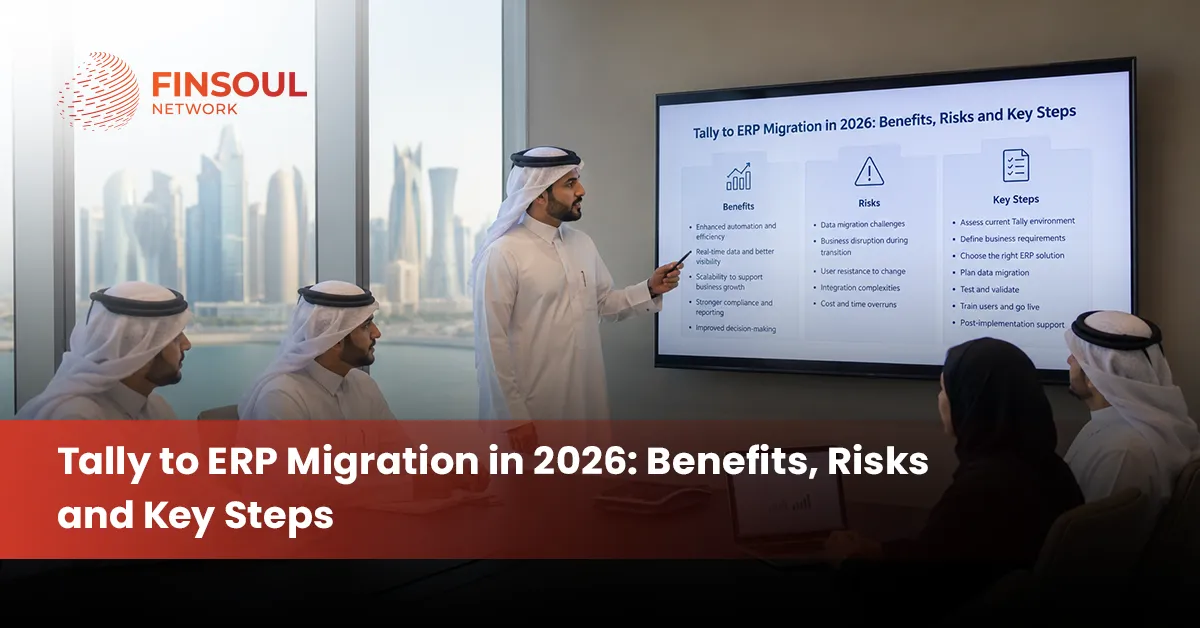
Tally to ERP Migration in 2026: Benefits, Risks and Key Steps
The hardest part of moving from Tally to ERP is rarely exporting the ledger. The harder decisions are what the new system should look like, which historical data deserves to move, how old accounts should map into the new structure, and how the business will continue operating while its financial system of record changes.
That is why ERP migration should be treated as a business transformation project rather than a software installation. A growing company may still have accurate accounts in Tally while procurement runs through email, inventory sits in another system, approvals happen manually and management reporting depends on spreadsheets. The limitation is no longer accounting alone. It is the lack of integration between finance and the wider business.
For companies considering a move from Tally in 2026, the objective should be clear: preserve reliable financial information while building a system capable of supporting the next level of operational complexity.
What Does ERP Migration Actually Mean?
ERP migration is the controlled movement from an existing business system or combination of systems into a new enterprise resource planning environment.
In a Tally-based business, that can involve much more than moving the chart of accounts. Depending on the ERP scope, finance may become connected with purchasing, inventory, sales, projects, fixed assets, approvals and management reporting.
The project therefore has two dimensions.
The first is technical: extract, clean, map, transfer and validate the required data.
The second is operational: redesign how transactions move through the business once the new ERP becomes the primary system.
A technically successful migration can still fail commercially if the new workflows do not reflect how the organisation needs to operate.
Tally Upgrade, ERP Data Migration and ERP System Migration Are Different
These terms should not be used interchangeably.
A Tally upgrade generally involves moving between supported versions within the Tally ecosystem. Depending on the versions involved, Tally provides migration routes that can retain company information such as masters, vouchers and security configurations.
ERP data migration focuses specifically on information. Customer records, supplier masters, accounts, balances, inventory and transactions are extracted from the existing environment and transformed into a format the destination ERP can use.
An ERP system migration is broader. It changes the system in which the organisation operates. Processes, permissions, integrations, workflows, reporting structures and responsibilities may all change alongside the data.
Moving from Tally to an external ERP should therefore not be planned as though it were simply another Tally version upgrade.
When Does Moving From Tally to ERP Make Business Sense?
Tally can continue to serve businesses with relatively straightforward accounting requirements. Migration becomes more compelling when the organisation’s operating complexity begins to exceed the surrounding system architecture.
- Multiple systems hold the same information: Customer, supplier or product data is repeatedly maintained across finance and operational applications
- Reporting depends on spreadsheets: Finance spends significant time exporting, combining and reconciling information before management reports can be produced
- Multiple entities are difficult to consolidate: Group reporting requires substantial manual work and recurring adjustments
- Inventory has become more complex: Multiple warehouses, locations, product categories or purchasing flows need stronger integration
- Approvals happen outside the system: Purchase requests, expenses and other transactions depend heavily on email or informal approvals
- Transaction volumes have increased: Manual processes that worked at a smaller scale create delays or control weaknesses
- Management needs operational visibility: Financial information needs to connect with sales, procurement, projects or inventory
- Existing integrations are becoming fragile: Separate applications require repeated imports, exports or manual reconciliation**
What Changes During an ERP System Migration?
The value of an ERP is not simply that it can maintain a general ledger. The system can connect transactions from their operational origin to their financial result.
Consider purchasing.
In a fragmented environment, an employee may request a purchase by email, a manager approves it separately, procurement records the order elsewhere and finance enters the supplier invoice into the accounting system later.
An integrated ERP can potentially connect the request, approval, purchase order, receipt, supplier invoice and accounting entry within one controlled process.
The same principle can apply across inventory, sales, projects, expenses and fixed assets.
This is why an ERP system migration should begin with process design. If the project focuses only on importing Tally data, much of the potential value of the new system can be lost.
What Data Should Move From Tally to the New ERP?
Not every field or historical transaction automatically deserves a place in the new system.
Migration scope should be based on what the business needs to continue operating, meet its reporting requirements and retain appropriate access to historical records.
Tally information | Typical ERP destination |
Chart of accounts | General ledger structure |
Customer masters | Customer records |
Supplier masters | Vendor records |
Cost centres | Dimensions or cost centres |
Stock items | Product or inventory masters |
Opening balances | ERP opening financial position |
Outstanding invoices | Open receivables and payables |
Bank balances | Reconciled opening bank position |
Fixed-asset information | Fixed-asset module where applicable |
Selected transaction history | Historical ERP transactions where required |
The final scope depends on the destination ERP and the organisation’s reporting, operational and record-retention requirements.
Should Every Historical Tally Transaction Be Migrated?
No.
Moving ten years of transaction-level information can appear safer because nothing is left behind, but a full-history migration increases data preparation, mapping, testing and reconciliation work.
A company can instead use a defined cut-off date and migrate the information required to continue operating: master records, opening balances, outstanding customer and supplier items, inventory positions and other relevant opening data.
Historical Tally records can then remain accessible in a controlled archive.
There is also a middle approach. A business may migrate detailed information for the current and previous financial years while retaining older periods in the legacy environment.
The right decision depends on reporting requirements, audit and tax records, operational need, data quality and the cost of transforming older information.
Define the ERP Migration Scope Before Extracting Data
One of the most expensive migration mistakes is starting with data before deciding what the new ERP is expected to do.
The scope should identify the legal entities, branches, modules, users, integrations, reporting requirements and business processes included in the implementation.
It should also define what will not be included.
For example, phase one might cover finance, purchasing and inventory while CRM remains in its existing application through an integration. Another company may need finance and project accounting first, with other modules introduced later.
Once the destination structure is understood, the migration team can determine which Tally information is actually required.
Audit and Back Up the Existing Tally Environment
The source environment needs to be understood before anything is moved.
The review should establish the Tally version being used, number of company datasets, chart of accounts, masters, transaction volumes, cost centres, inventory structure, customisations and any existing interfaces with other systems.
Older Tally environments require particular attention because migration and extraction options can vary according to the source version.
Data quality should also be examined.
Duplicate ledgers, inactive customers, inconsistent product codes, old cost centres and unreconciled balances should be identified before migration.
A secure backup of the source environment is essential before major extraction or migration activity begins. The business should preserve a reliable point to which it can refer if data needs to be re-extracted or compared later.
Clean the Data Before Mapping It
An ERP does not improve poor master data merely by importing it.
If one customer exists under three slightly different names in Tally, transferring all three records creates the same problem in a more expensive system.
Cleaning should therefore happen before the final migration.
Inactive records can be identified. Duplicate customers and suppliers can be resolved. Naming conventions can be standardised where appropriate. Obsolete accounts can be reviewed, and unexplained balances should be investigated.
The purpose is not to make the old system perfect. It is to prevent known legacy problems from becoming the starting structure of the new ERP.
Build an ERP Data Migration Map
Once the destination design and source data are understood, each relevant data field needs a defined destination.
This is where ERP data migration becomes more than an export-and-import exercise.
Source data | Migration decision |
Tally ledger | Map to appropriate ERP GL account |
Sundry debtor | Convert to customer master |
Sundry creditor | Convert to vendor master |
Cost centre | Map to ERP dimension or cost centre |
Stock item | Map to product/inventory master |
Outstanding receivable | Load as open customer item |
Outstanding payable | Load as open vendor item |
Bank ledger | Reconcile to opening bank position |
Historical voucher | Transform according to agreed migration scope |
The mapping should also consider whether the new ERP uses additional dimensions that did not exist in Tally.
For example, the destination system may require every expense to carry a department, project or branch dimension. Historical data cannot simply be dropped into the new structure without deciding how those fields will be populated.
Run a Trial ERP Data Migration Before Go-Live
The first migration should not be the production migration.
A trial conversion allows data to be extracted, transformed and loaded into a test environment. The business can then identify issues while the original system remains operational.
The test may reveal missing customers, incorrect account mappings, duplicated open invoices, invalid product codes or inconsistent dimensions.
These are normal migration findings. The purpose of a trial is to find them early.
Corrections should then feed back into the migration rules so the next conversion becomes more accurate.
For a complex implementation, several test cycles may be required before the final cutover dataset is considered reliable.
Reconciliation Is the Financial Test of the Migration
A system can report that an import completed successfully while the accounting position is still wrong.
Trial Balance Reconciliation
The approved closing position in Tally should reconcile with the corresponding opening position in the ERP at the agreed cut-off.
Any difference should be identified and explained. Using an unexplained balancing account simply to force the new trial balance to agree defeats the purpose of reconciliation.
Customer and Supplier Reconciliation
The total receivables and payables control balances should agree with the detailed customer and supplier items migrated.
A correct total is not enough if individual invoices are duplicated, missing or allocated to the wrong account.
Inventory Reconciliation
Where inventory forms part of the migration, quantities and values should both be checked. Product codes, units of measure, warehouse locations and opening stock need to reflect the agreed source position.
An inventory value can reconcile financially while incorrect quantities still create operational problems immediately after go-live.
Test Complete Business Processes Before Cutover
User acceptance testing should simulate how the organisation will actually use the ERP.
A purchase transaction, for example, may need to move from requisition through approval, purchase order, receipt, supplier invoice, payment and general-ledger posting.
Testing only the supplier-invoice screen does not establish whether the complete purchasing process works.
The same principle applies to sales, inventory, projects, expenses and other included modules.
Users should also test exceptions rather than only ideal transactions. Credit notes, cancelled orders, partial deliveries, payment differences and approval rejections often expose configuration gaps that straightforward transactions do not.
Plan the Cutover and Freeze Period
Eventually, the organisation needs a clear point at which Tally stops being the live system and the ERP takes over.
The cutover plan should establish the final transaction date, extraction timing, reconciliation responsibilities and rules for transactions arising while final data is being migrated.
Without a controlled freeze, the same invoice could be entered into Tally after extraction and then entered again into the ERP.
The business should also determine what happens if a critical problem occurs during cutover. A rollback or contingency approach should be agreed before go-live rather than improvised during disruption.
What Changes With ERP Cloud Migration?
Moving to a cloud ERP introduces considerations beyond the transfer of accounting records.
An ERP cloud migration changes how users access the system, how integrations connect, where configuration is managed and how the organisation interacts with the software provider’s cloud environment.
User identities and role-based permissions need to be configured carefully. Integrations with banks, payroll, CRM, e-commerce or other applications may need APIs or other cloud-compatible connections.
Internet connectivity and operational continuity also become relevant because users depend on access to the hosted environment.
Cloud does not eliminate responsibility for controls. The provider may operate the underlying infrastructure, but the business still needs to manage matters such as user access, approval authority, master-data governance and its own operational procedures.
The migration plan should therefore distinguish between moving data into a cloud application and redesigning the operating model around that application.
What Are the Main Benefits of ERP Migration?
A successful ERP migration should create measurable operational improvements rather than simply replace one user interface with another.
- One connected data environment: Financial and operational processes can use a common set of underlying records
- Less duplicate entry: Integrated workflows can reduce repeated input across separate applications and spreadsheets
- Stronger process control: Role-based approvals and permissions can make transaction responsibilities clearer
- Better management reporting: Financial and operational information can be analysed together
- Improved inventory visibility: Appropriate ERP systems can connect purchasing, stock movement, sales and accounting
- Multi-entity capability: Suitable platforms can support more structured entity and group reporting
- Greater scalability: The system can support additional users, transactions, locations and processes as the organisation expands
- Integration potential: ERP can become the core platform connecting other specialised business applications**
What Are the Biggest ERP Migration Risks?
Migration risk usually comes from a combination of data, system design and people rather than one technical issue.
- Poor source data: Duplicates and inaccurate masters are transferred into the new system
- Incorrect mappings: Accounts, customers, products or dimensions reach the wrong ERP destination
- Incomplete migration: Required balances, open transactions or master records are missed
- Unreconciled opening balances: The ERP begins operating from a financial position that does not agree with the legacy system
- Failed integrations: Connected applications do not exchange information as expected after cutover
- Excessive customisation: The new ERP becomes unnecessarily complex because every legacy workaround is rebuilt
- Insufficient testing: Errors remain undiscovered until live transactions begin
- Weak user adoption: Employees continue using spreadsheets or informal processes rather than the approved ERP workflows
- Poor cutover control: Transactions are duplicated, omitted or entered into the wrong system during transition**
An ERP Data Migration Can Technically Succeed and Still Be Wrong
This is one of the most important distinctions in the entire project.
An import utility may report 100% completion because every record passed the technical validation rules. That only proves that the destination system accepted the data.
It does not prove that the data is correct.
A customer balance may have been assigned to the wrong customer. Inventory quantities may use an incorrect unit of measure. Expenses may be missing departmental dimensions. Outstanding invoices may have been loaded twice. Opening balances may include transactions already migrated separately.
The success criteria for ERP data migration should therefore be reconciliation and business usability, not the number of records successfully imported.
Do Not Reproduce Every Tally Process in the New ERP
Migration creates an opportunity to improve the operating model.
A process may exist in Tally or surrounding spreadsheets because the old environment required a workaround. Rebuilding that workaround inside the ERP can preserve the exact inefficiency the implementation was supposed to remove.
Each major process should be challenged before customisation.
Can the standard ERP workflow meet the requirement? Can an approval be configured instead of handled through email? Can one structured dimension replace multiple manually maintained ledgers? Can information be captured once rather than copied between departments?
Customisation still has a place where the business has a genuine requirement that the standard system cannot address. It should be a deliberate design choice rather than the default response to differences between Tally and the ERP.
How Long Does ERP Migration Take?
There is no reliable universal timeline for an ERP system migration.
A single company moving finance data into a relatively standard ERP can require far less work than a multi-entity group implementing finance, procurement, inventory, projects and multiple integrations.
The schedule is influenced by the number of entities, modules, users, historical periods, integrations, customisations and reporting requirements.
Data quality is another major factor.
A smaller dataset containing duplicate masters and years of unreconciled information can require more preparation than a much larger but well-controlled accounting environment.
User availability also matters. Testing cannot be completed properly if the employees who understand the actual business processes are unavailable during implementation.
A credible timeline should therefore be built after discovery and scoping, not promised before the existing environment has been assessed.
When Is ERP Cloud Migration the Better Route?
Cloud ERP can be attractive where the organisation wants broader accessibility, reduced responsibility for maintaining its own application infrastructure and a platform designed around ongoing vendor-managed updates.
It can also support businesses operating across several locations where users need controlled access to the same environment.
That does not make cloud the automatic answer for every organisation.
The decision should consider integration requirements, internet dependency, security and access controls, data requirements, customisation needs, subscription costs and the capabilities of the specific ERP being evaluated.
An ERP cloud migration should therefore be selected because the cloud operating model fits the business, not simply because cloud technology is newer than an on-premise environment.
When Is Staying With Tally the Better Decision?
Not every growing company needs an ERP immediately.
A single-entity business with straightforward accounting, manageable inventory and limited process complexity may continue to operate effectively with TallyPrime.
If the real problem is poor bookkeeping, outdated account structures or weak reporting discipline, replacing the software may not solve it.
The business case becomes stronger when the limitations are structural: multiple disconnected systems, repeated data entry, difficult consolidation, complex inventory, extensive manual approvals or a growing need to connect finance with operations.
In those circumstances, continuing to add spreadsheets and standalone applications can eventually create more complexity than implementing an integrated ERP.
A Successful ERP Migration Changes More Than the Software
The objective of moving from Tally should not be to recreate the same accounting environment on a larger platform.
A successful ERP migration starts by defining what the organisation wants its future processes and reporting structure to achieve. Only then should legacy data be cleaned, mapped and transferred.
Trial migrations establish whether the conversion rules work. Reconciliation proves whether the financial information remains reliable. User acceptance testing establishes whether complete business processes work. Controlled cutover then determines when the new ERP becomes the organisation’s system of record.
For Finsoul Network Qatar, this is the distinction that matters most in 2026. ERP implementation creates value when the migration connects reliable financial data with better operational processes. Moving data alone changes the software. Moving the right data into a properly designed system can change how the business operates.
FAQs
What Is ERP Migration?
ERP migration is the process of moving an organisation from an existing business system or combination of systems to a new enterprise resource planning environment. It can involve data transfer, process redesign, configuration, integrations, testing, user training and controlled cutover.
What Is the Difference Between ERP Migration and ERP Data Migration?
ERP migration covers the wider transition to the new system, including workflows, integrations, permissions and operating processes. ERP data migration is the specific process of extracting, cleaning, mapping, transforming and transferring required information from the old system into the new ERP.
Can Tally Data Be Migrated to a New ERP System?
Yes. Required Tally information can be extracted and transformed for migration into another ERP where the source data and destination system support the necessary migration methods. The process normally requires mapping and reconciliation because an external ERP may structure accounts, customers, inventory and transactions differently from Tally.
What Are the Main Risks of ERP Cloud Migration?
Key risks include poor data quality, incorrect mappings, weak access controls, failed integrations, insufficient testing, cutover problems and inadequate user adoption. Cloud migration also requires the organisation to understand how connectivity, permissions, integrations and operational responsibilities will work in the hosted environment.
How Long Does an ERP System Migration Take?
There is no fixed timeline. Duration depends on factors including the number of entities and modules, data quality, historical data requirements, integrations, customisations, reporting needs and the amount of user acceptance testing required. A realistic implementation timeline should be established after the existing environment and migration scope have been assessed.
Table of Contents
Book An Appointment
No Comments