
Making Tax Digital for Income Tax: Do Sole Traders and Landlords Need to Sign Up?
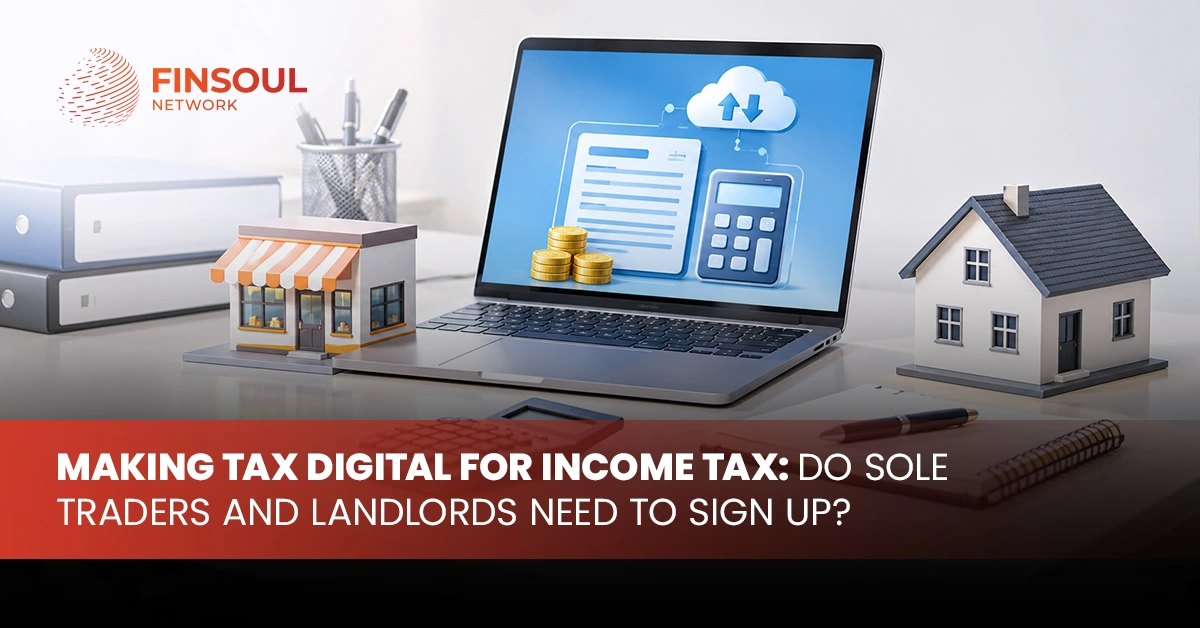
The UK tax system is changing how sole traders and landlords report their income to HMRC. From April 2026, eligible taxpayers must keep digital records, submit quarterly updates and finish the year with a final declaration through compatible software. The new rules affect people with qualifying income above set limits, so not every self-employed person or property owner must join at the same time.
Finsoul Network UK helps taxpayers understand their reporting responsibilities and prepare for the changes to Self Assessment. Knowing your start date, qualifying income limit and software requirements will help you meet your tax obligations.
Who Must Join Making Tax Digital for Income Tax in 2026, 2027 and 2028?
The government is introducing the system in stages. Your qualifying income and the tax year used to assess it determine when you must start.
Qualifying income in the relevant tax return | Required start date |
More than £50,000 in 2024/25 | 6 April 2026 |
More than £30,000 in 2025/26 | 6 April 2027 |
More than £20,000 in 2026/27 | 6 April 2028 |
These limits refer to gross income from self-employment and property before expenses, rather than taxable profit. HMRC uses the relevant earlier year’s Self Assessment return to decide your start date.
Does the £50,000 Limit Apply to Every Sole Trader and Landlord?
No. The £50,000 limit applies to the first group, which started in April 2026. HMRC will bring more taxpayers into the system as the qualifying income limit falls.
Check the income figures on your relevant tax return instead of relying on your current monthly earnings or business profit. If your qualifying income is above the limit for your group, you must use the system from the relevant start date.
What If Your Income Falls Below the Limit?
You do not have to join solely because you earn income from self-employment or property. If your qualifying income stays below the relevant limit, the mandatory start date does not apply to you.
You may also be able to join voluntarily. Review the latest HMRC guidance before deciding, as your position may change when your income or circumstances change.
How Does HMRC Calculate Your Qualifying Income?
Your income threshold depends on gross income from qualifying sources. HMRC adds your self-employment turnover and property income together before any business expenses are deducted. This differs from the profit figure you use to work out your taxable income.
Does HMRC Count Turnover or Profit?
HMRC counts qualifying income before expenses. Do not deduct rental costs, office expenses, stock purchases or other business costs when checking the limit.
Your taxable profit may be much lower than your turnover, but the qualifying income calculation still uses the gross figures. Check the figures on your Self Assessment return to find the correct start date.
Do Business Income and Rental Income Count Together?
Yes. HMRC combines qualifying income from self-employment and property when it checks the limit. A person who runs a business and receives rental income must consider both sources.
Employment salary, pension income, savings interest and dividends do not count towards this limit. You may still need to declare those sources on your tax return.
Keep a clear record of each income source so you can identify the amounts HMRC uses for the calculation.
Do Sole Traders Need to Register for MTD ITSA?
Sole traders who meet the qualifying income requirements must use the new system from their applicable start date, unless HMRC grants an exemption. The rules apply to eligible sole traders who already file Self Assessment returns. They must keep digital records, send quarterly reports for each tax year and complete their end-of-year reporting using compatible software.
What If You Run More Than One Business?
If you operate more than one sole trader business, HMRC looks at the qualifying income from all your self-employment sources together with any qualifying property income.
You must sign up each income source and keep records for each one. You must also send the required quarterly reports for each source. Your software should let you separate income and expenses between businesses so you report the correct figures.
What If You Receive a Salary or Pension as Well?
You can have employment income or pension income alongside self-employment income. These additional sources do not count towards the qualifying income limit.
However, you must still include relevant income when you finish your tax year. Check the figures HMRC already holds and add any information that remains outstanding before you submit your final declaration.
Do Landlords Need to Join Making Tax Digital?
Landlords must check their qualifying property income and any additional self-employment income to find out whether they need to join. The rules can affect owners of residential and commercial rental properties, including people who receive rent alongside income from another business.
Does MTD Apply If You Own Only One Rental Property?
The number of properties does not decide your obligation by itself. A landlord with one property must join if their qualifying income is above the limit for their start date. A landlord with several properties may stay outside the mandatory rules if their qualifying income is below that limit.
Check the gross rental income on your relevant tax return. Do not use rental profit after allowable expenses to assess the limit.
How Does Joint Property Ownership Affect the Rules?
Each joint owner must assess their own tax position. Consider only your share of the property income rather than the whole rent received by all owners.
Keep records that identify your share of rental income and relevant expenses. If you also earn self-employment income, add that qualifying income when checking the limit. Seek tax advice if your ownership share or entitlement is unclear.
Who Can Claim an Exemption from the Digital Rules?
Some taxpayers may qualify for an exemption if it is not reasonably possible for them to use digital services. HMRC considers applications based on the person’s circumstances, including age, health, disability, religious beliefs or internet-access difficulties.
An exemption does not apply automatically because someone prefers paper records or finds digital reporting inconvenient.
How Do You Apply for an Exemption?
Read HMRC’s exemption guidance and apply before your required start date. Explain the circumstances that prevent you from using digital services and provide supporting information when HMRC asks for it.
If you have already joined and your circumstances change, contact HMRC about an exemption. Check HMRC’s guidance on what to do while your application is considered. If HMRC refuses your application, review the decision and the available appeal process.
What If You Live Abroad or Have a Special Tax Arrangement?
Living overseas or having an unusual tax arrangement does not automatically remove your obligations. Your residence status, income sources and legal circumstances may affect the rules that apply to you.
Check your position with HMRC or a qualified tax adviser before assuming that an exemption applies.
How Do You Sign Up for Making Tax Digital for Income Tax?
Sole traders and landlords can use HMRC’s online service to sign up. Before you start, check your qualifying income, confirm your start date and select software that supports your reporting needs.
From September 2026, HMRC is signing up taxpayers who need to use the system for 2026/27 and have not yet registered. You do not need to wait for HMRC to contact you before taking action.
What Should You Prepare Before Registration?
Prepare the following information before you begin:
- Your Self Assessment details and relevant tax return.
- Your qualifying income figures from self-employment and property.
- Details of each business or property income source, as you must sign up each one.
- Your chosen software and confirmation that it supports the required HMRC functions.
- Your accountant’s details, if an agent will help manage your tax affairs.
Check HMRC’s current registration instructions before submitting your details.
Can an Accountant Register and Manage Reporting for You?
An accountant or tax agent can help you check your start date, choose suitable software and prepare your records. They can also help you send your reports and review your final declaration, once you have given the relevant authorisation. An agent must sign up each client separately, as authorisation alone does not register you.
You remain responsible for understanding your tax obligations. Agree who will maintain records, submit reports and review deadlines before your first reporting period begins.
What MTD Software Do Sole Traders and Landlords Need?
HMRC does not provide the software you need to keep digital records and send your reports. You must choose compatible software that supports your income sources and reporting requirements.
Some products combine record-keeping, quarterly submissions and end-of-year reporting in one place. Some taxpayers may prefer separate products that work together.
Which Features Should You Check Before Choosing Software?
Look for software that can:
- Record self-employment income and expenses digitally.
- Record property income and relevant expenses.
- Separate different businesses and property income sources.
- Send quarterly submissions to HMRC.
- Prepare and send your final declaration.
- Give your accountant access when needed.
Check the provider’s current compatibility information before buying a subscription. Choose a product that suits the way you keep records and the type of income you report.
Can You Use Spreadsheets or Paper Records?
Paper records alone do not meet the digital record-keeping requirements for people who must use the system.
You may be able to use spreadsheets with compatible bridging software, provided the arrangement meets HMRC’s digital requirements. Check that the software can send the relevant figures to HMRC without breaking the required digital links.
Keep invoices, receipts, bank statements and other supporting documents as part of your normal accounting records.
What Are the Quarterly Reporting and Final Declaration Deadlines?
The new system changes how often you report your business and property income. You send a summary each quarter and then finish the year with an end-of-period statement for each income source and a final declaration.
What Do You Include in Each Quarterly Submission?
Each quarterly submission summarises income and expenses for each relevant business or property source. Your software calculates the totals from your digital records and sends them to HMRC.
You do not need to make tax adjustments before each submission. You should still record transactions accurately and correct mistakes in line with HMRC’s guidance.
For the first group, which joined in April 2026, the standard deadlines are:
Reporting period | Submission deadline |
First quarter | 7 August 2026 |
Second quarter | 7 November 2026 |
Third quarter | 7 February 2027 |
Fourth quarter | 7 May 2027 |
These dates assume the standard reporting periods. Your accounting period or your choice of calendar quarters may change the periods that apply to you.
Do Quarterly Submissions Replace Self Assessment?
They replace the way you report during the year, but you still complete your year-end reporting. After the quarterly submissions, you review your yearly figures, claim relevant reliefs and allowances, check your other income sources and send your final declaration, which takes the place of the usual Self Assessment tax return. The deadline for the 2026/27 tax year is 31 January 2028, with payment due under the usual rules.
The first quarterly submissions do not cover the 2025/26 tax year. People who joined in April 2026 must still file their 2025/26 tax return through the usual process by 31 January 2027.
What Happens If You Miss a Reporting Deadline?
Missing a deadline can lead to penalty points or financial penalties. The rules differ for quarterly submissions, year-end reporting and late tax payments.
How Do Late Submission Penalties Work?
For taxpayers required to use the system, HMRC awards a penalty point for each late submission. Once you reach the threshold of four points, HMRC charges a £200 penalty, and each further late submission can add another £200.
HMRC will not issue penalty points for the first four quarterly submissions in the 2026/27 tax year. This concession does not remove the requirement to send them. Penalties for late year-end reporting and late payment can still apply.
Current penalties still apply to your 2025/26 tax return, which is due on 31 January 2027. The new penalties apply from the tax year you join.
What Happens If You Pay Your Tax Late?
Late payment penalties may apply if you do not pay your tax bill by the due date. Interest also accrues on unpaid tax.
Contact HMRC as soon as possible if you cannot pay on time. You may be able to arrange a payment plan, depending on your circumstances. Acting early helps you understand your options before further charges arise.
How Can Sole Traders and Landlords Prepare for the New Rules?
Preparation starts with checking your tax position and organising your records before your first reporting period.
Use this checklist to get ready:
- Review your latest Self Assessment return and identify your start date.
- Calculate your qualifying income before deducting expenses.
- Separate your business and property records.
- Select compatible software and learn how to send reports.
- Agree responsibilities with your accountant, if you use one.
- Mark reporting deadlines and your final declaration date in your calendar.
- Keep invoices, receipts and bank records up to date.
The right preparation reduces last-minute work and helps you spot errors before you submit information to HMRC. If you join partway through a tax year, check how to bring your records up to date from the start of that year.
Conclusion
The new reporting system affects sole traders and landlords according to their qualifying income and start date. Understanding the rules for making tax digital for income tax helps you prepare your records, choose suitable software and meet your reporting duties.
Check your latest Self Assessment return and confirm your position with HMRC. Finsoul Network UK can help you understand your tax reporting responsibilities and plan the steps you need to take.
Need Help Preparing for Making Tax Digital?
If you are unsure about your qualifying income, registration requirements or reporting schedule, seek professional accounting advice before your next deadline. Finsoul Network UK can help you review your records and prepare for the reporting changes that apply to your business or rental income.
FAQs
Do I Need to Join If My Income Is Below £50,000?
Not necessarily. The £50,000 limit applies to the first group, which started in April 2026. Lower limits apply to later groups. Check your qualifying income and the relevant tax return to identify your start date.
Does MTD Apply to Landlords With One Property?
Yes, it can. The number of properties does not decide your obligation by itself. Your qualifying rental income, any qualifying self-employment income and your start date determine whether you must join.
Can I Complete My Tax Reporting Without an Accountant?
Yes. You can manage your records and submissions yourself if you understand the requirements and use compatible software. An accountant can help if you need support with reporting, tax reliefs or unusual income arrangements.
What Should I Do If I Have Not Signed Up Yet?
Check your start date and exemption status, select compatible software and follow HMRC’s registration instructions. If you must use the system from April 2026, act promptly rather than waiting for HMRC to sign you up.
What Does the Sole Trader Landlord MTD Rule Mean for People With Both Income Sources?
You must assess qualifying self-employment and property income together when checking the relevant limit. If you must join, you will need digital records for each relevant source and must send the required reports.